SchoolMate & Holded Integration.
Why have we integrated with Holded?
SchoolMate includes a built-in financial module that handles standard invoices and receipts. However, the European Union is progressively requiring member states to adopt mandatory electronic invoicing and real-time financial reporting. Adapting a single generic accounting system to meet the distinct legal and tax requirements of every country in which our schools operate is not feasible.
Our solution is to integrate SchoolMate with best-in-class localised accounting platforms — so that each school uses software that is already fully compliant with its own country’s regulations, and stays compliant as those regulations evolve. The Holded integration is our second such partnership – first was Italy – and is tailored for schools operating in Spain.
Who is Holded?
Holded is a Barcelona-based software company that provides an all-in-one business management platform. For Spanish language schools, the most relevant features are:
- Electronic invoicing (facturación electrónica) fully compliant with Spanish law.
- Integrated accounting and financial reporting.
- Built-in Spanish tax compliance, including VAT (IVA) management.
- Already integrated with Verifactu — Spain’s mandatory invoice verification system — and ready for when online financial reporting becomes fully obligatory.
How does the integration work?
First you need a Holded account to link to your SchoolMate account – the steps are explained below – once you have done that everytime you create a student in SchoolMate they are automatically created in your Holded account. There is a link from a student in SchoolMate to their Holded account. You create invoices in Holded and information on payments etc., is fed back to the student’s SchoolMate card so you have an overview.
How do I integrate SchoolMate with Holded?
Firstly, you need to create an account with Holded and then link it to your SchoolMate account.
- Go to Holded and register for an account. You can start with a free demo account and convert it to a paid one later.
-
- Open the menu.
- Click on Settings.
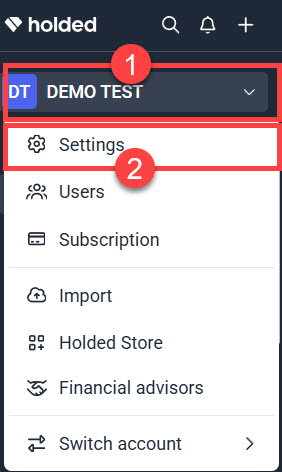
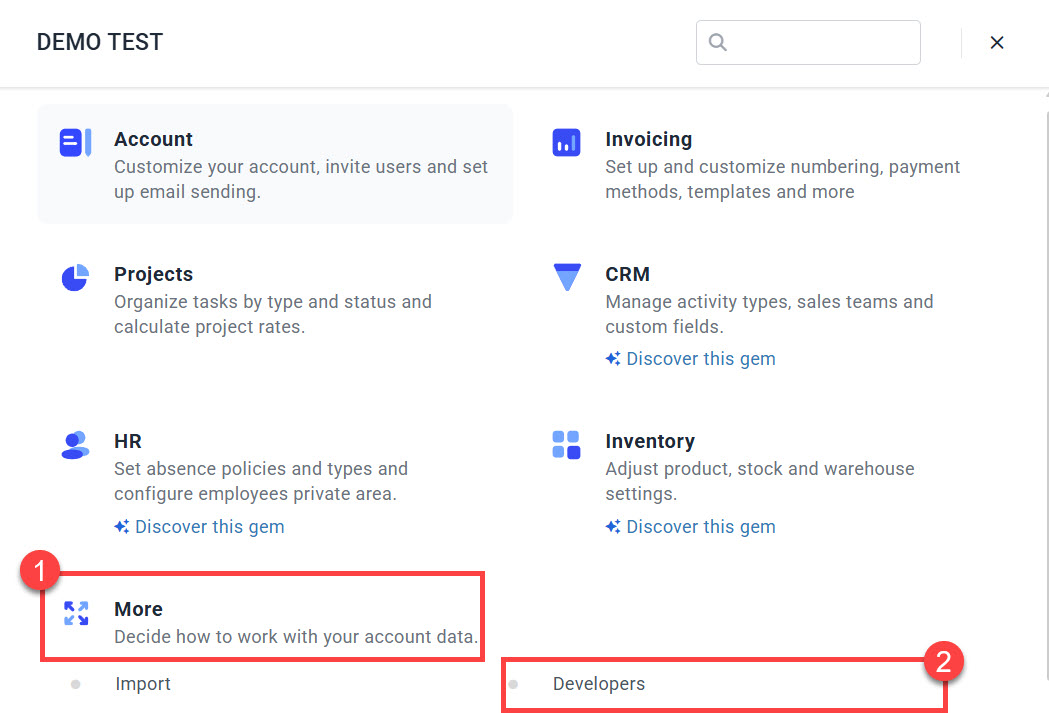
3. From the Settings menu:
-
- Click «More».
- Click «Developers».
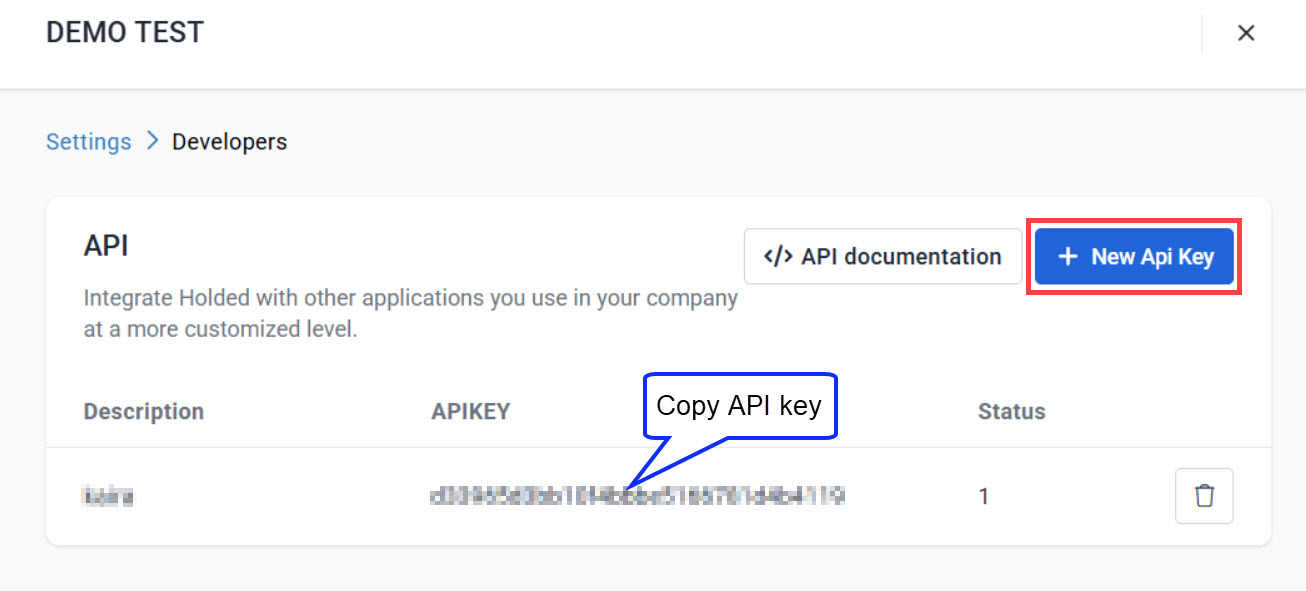
When the Developers page opens, create a New API key or copy if you already have one.
Next go to your SchoolMate account: Finance – Settings – Integrations:
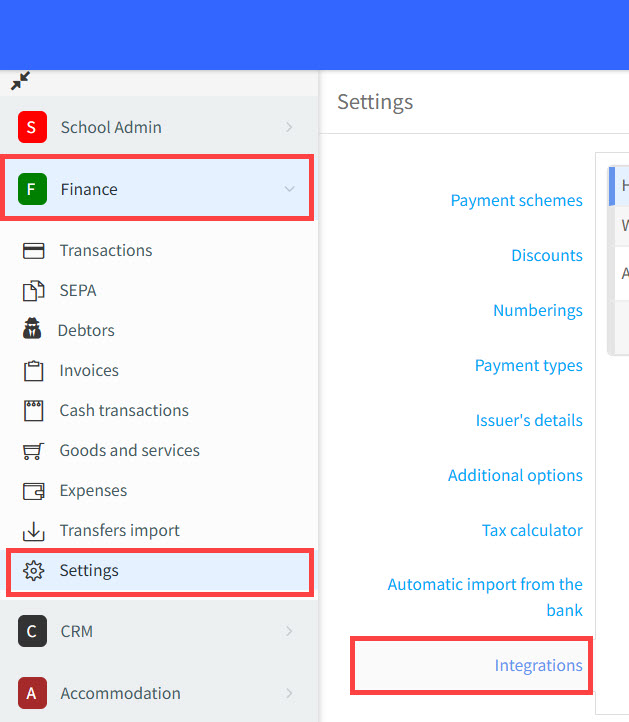
On the Integrations page:
- Click to start integration.
- Paste your API key here.
- Sync your SchoolMate students with your Holded account.
- Click «Save» to complete the integration.

Using SchoolMate and Holded
Generally data flows from SchoolMate to Holded and not the other way. So, if you update a student’s card in SchoolMate it will update in Holded but not the other way round.
Students:
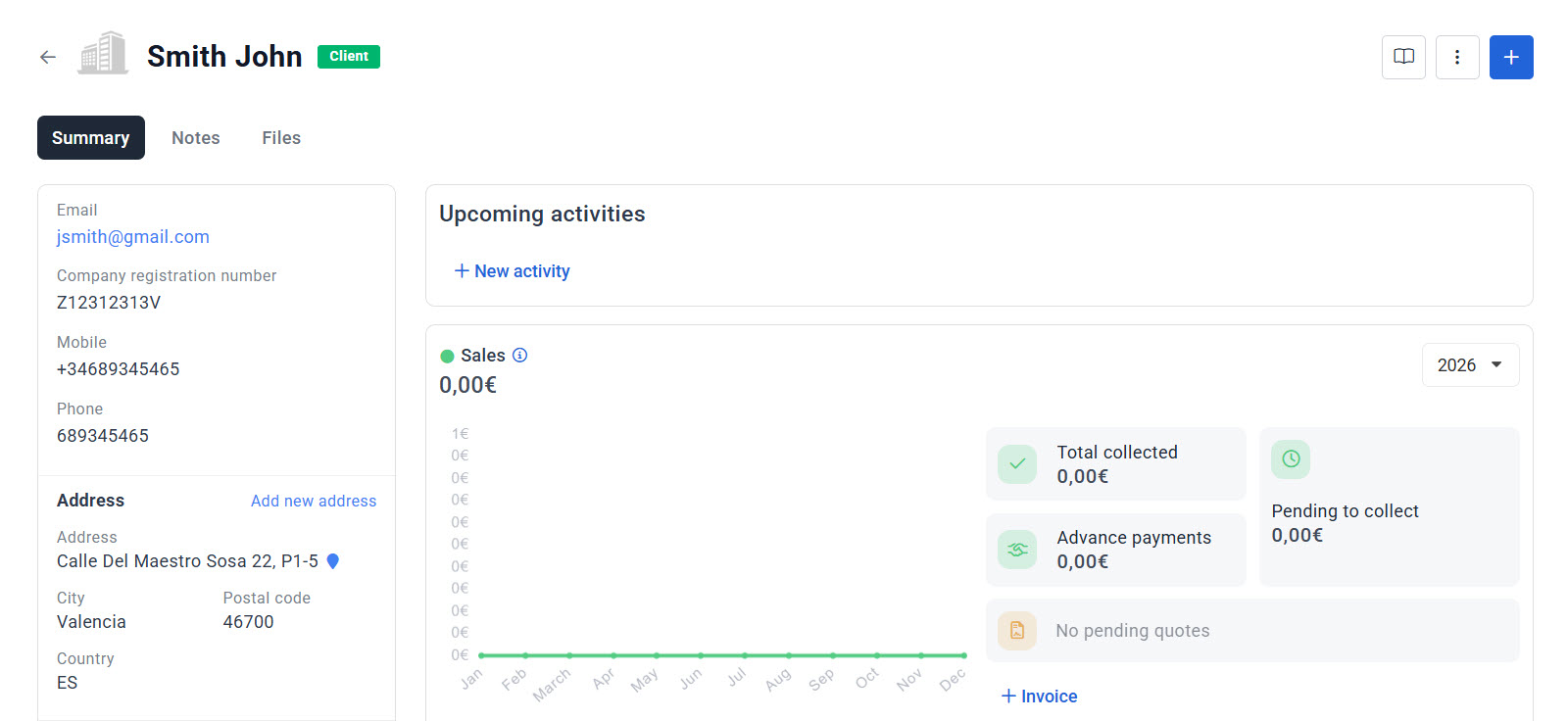
Once the integration is active, every new student created in SchoolMate automatically generates a corresponding contact in Holded. All information relevant to invoicing — name, address, tax identification number, and contact details — is passed across to the Holded card.
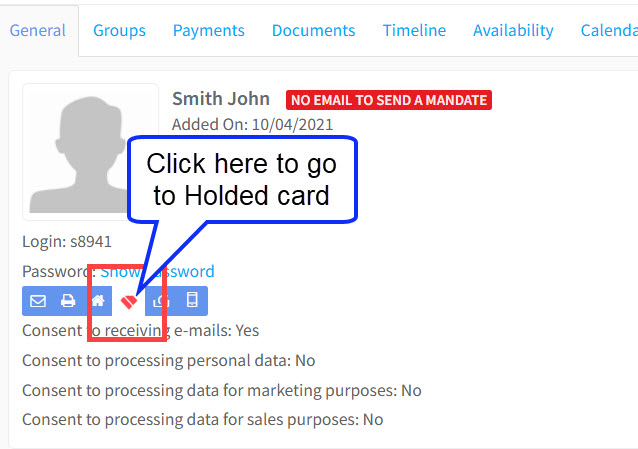
To navigate from a student’s SchoolMate card to their Holded profile, use the Holded link shown on the card:
All of the information relevant to invoicing is sent to their Holded card:
Parents:
If a student is a minor and a parent account has been activated on their SchoolMate card, the parent — not the student — will be created as the Holded contact for invoicing purposes. Use the same Holded link on the student card (see above) to access the parent’s Holded profile.
Companies:
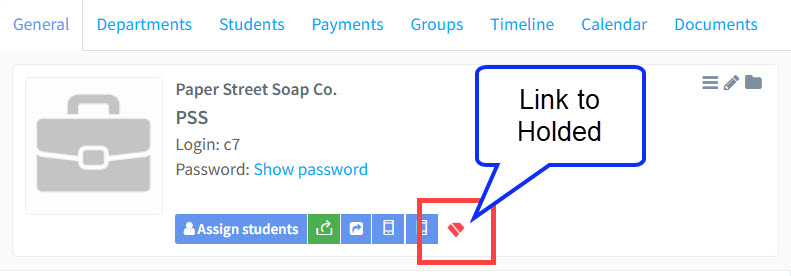
Companies created in SchoolMate are automatically synchronised to Holded. Use the Holded link on the company’s SchoolMate card to navigate directly to their Holded profile.
Invoicing with Holded:
Invoices are created and managed within Holded, which provides extensive invoicing features along with a wide range of tutorials and support resources. A few points worth highlighting:
- All invoicing takes place inside Holded — not in SchoolMate’s own finance module.
- Holded handles the legal requirements for Spanish electronic invoicing automatically.
- Payment status and invoice summaries are fed back to SchoolMate in real time.
Invoicing is very easy to do with Holded but here are a few items that may not be easily apparent.
Finance Module – Goods and Services:
As part of the integration, the Goods and Services held in your SchoolMate account are transferred to your Holded account.
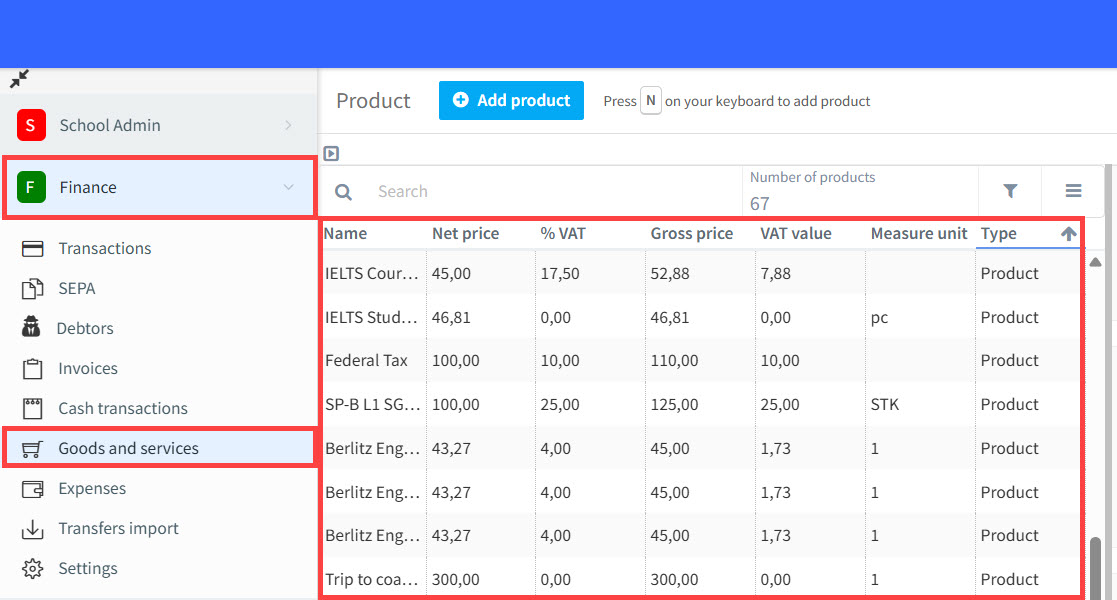
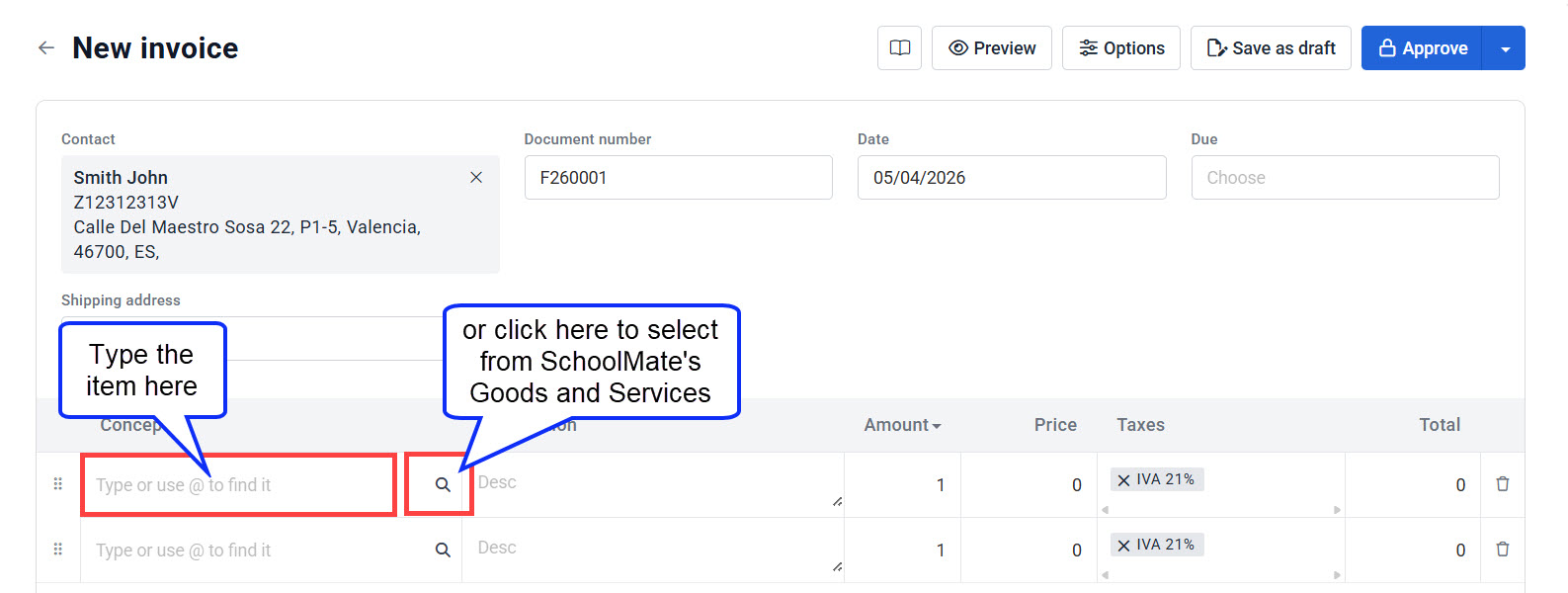
When creating an invoice in Holded you can select items directly from this catalogue, or simply type the product or service description manually.
Holded on the Student’s Card:
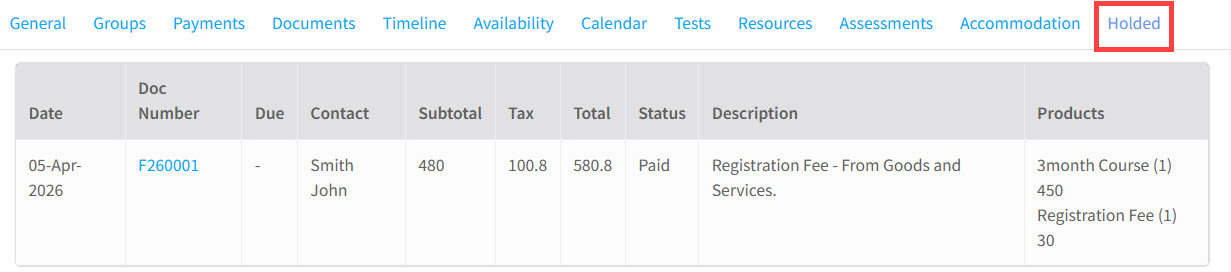
A new Holded tab has been added to every student’s card in SchoolMate. This tab displays a summary of the student’s Holded invoices and their current payment status, so you can get a quick financial overview without leaving SchoolMate.