
SchoolMate has integrated with Holded a Spanish accounting software company.
Why have you integrated with Holded?
SchoolMate has a generic financial module. It can created standard invoices, receipts etc, but with the European Union requiring countries move to online invoicing and financial reporting we cannot adapt our basic accounting system to meet the different requirements of individual countries. Therefore, what we are doing is integrating SchoolMate with localised accounting systems so that schools will be able to have the most up-to-date accounting software meeting all local requirements.
Who is Holded?
Holded is a Barcelona-based software company that offers an all-in-one platform: it handles electronic invoicing, accounting and has built-in Spanish tax compliance. It has already integrated compliance with Verifactu, and will be ready when online financial reporting becomes obligatory.
How does the integration work?
First you need a Holded account to link to your SchoolMate account – the steps are explained below – once you have done that everytime you create a student in SchoolMate they are automatically created in your Holded account. There is a link from a student in SchoolMate to their Holded account. You create invoices in Holded and information on oayments etc., is fed back to the student’s SchoolMate card so you have an overview.
How do I integrate ShoolMate with Holded?
Firstly, you need to create an account with Holded and then link it to your SchoolMate account.
- Go to Holded and register for an account. You can start with a free demo account and convert it to a paid one later.
-
- Open the menu.
- Click on Settings.
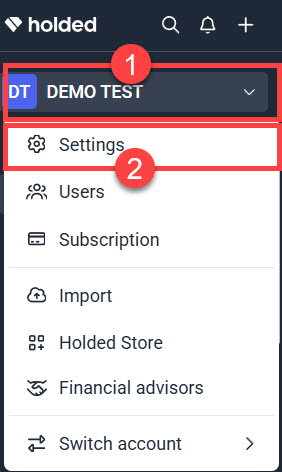
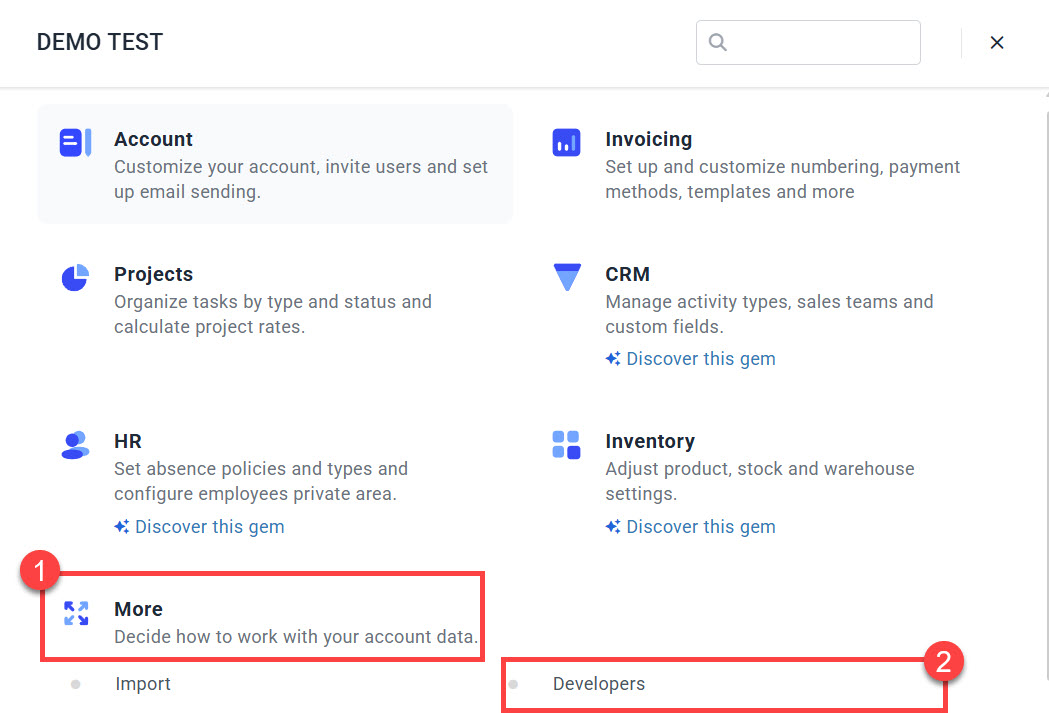
3. From the Settings menu:
-
- Click “More”.
- Click “Developers”.
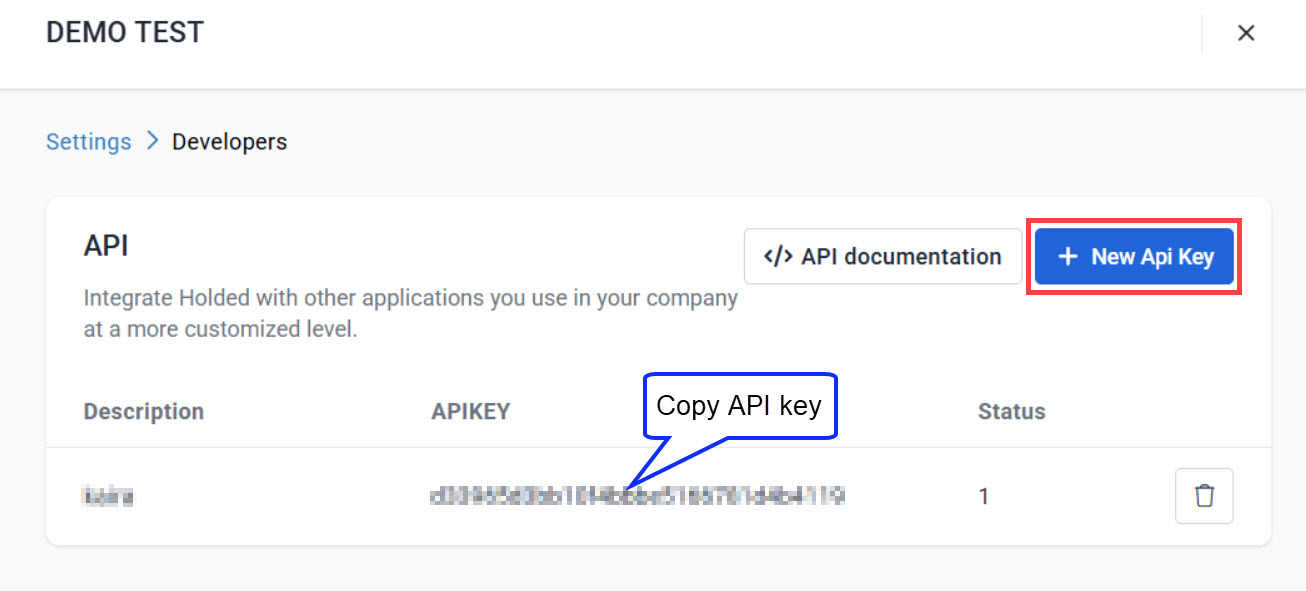
When the Developers page opens, create a New API key or copy if you already have one.
Next go to your SchoolMate account: Finance – Settings – Integrations:
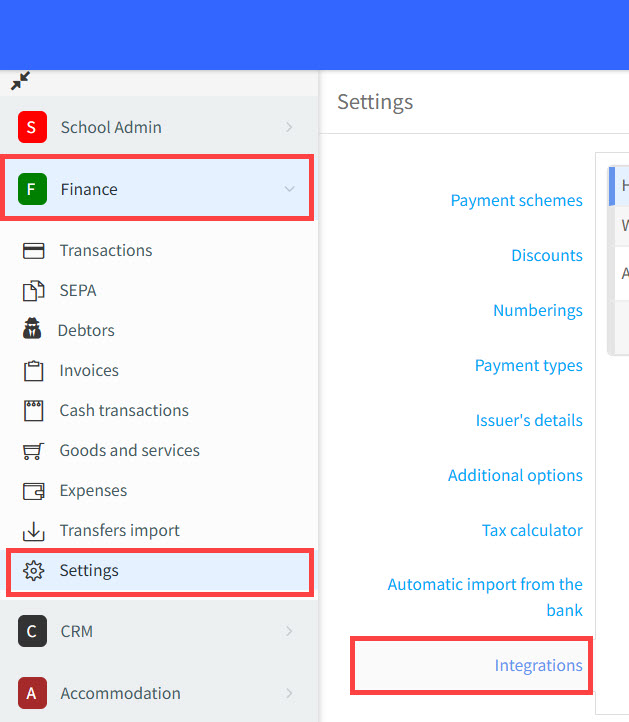
On the Integrations page:
- Click to start integration.
- Paste your API key here.
- Sync your SchoolMate students with your Holded account.
- Save.
