
Sign in with Google, Facebook or Apple
To make it easier for users to log into their SchoolMate accounts, we have added a feature whereby they can log in using their Google, Facebook or Apple account: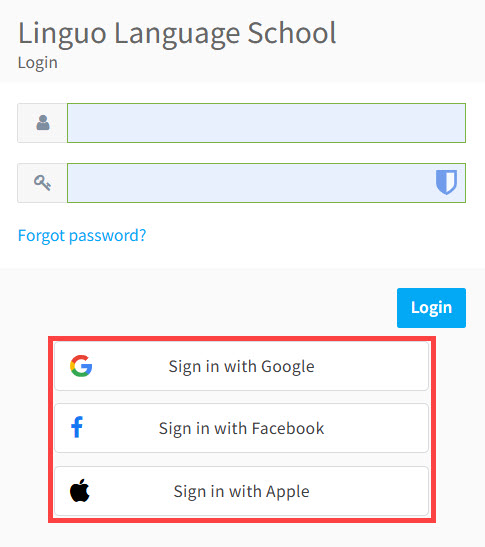
How to set this up
Go to School Admin – Settings – Basic Settings – General Data:
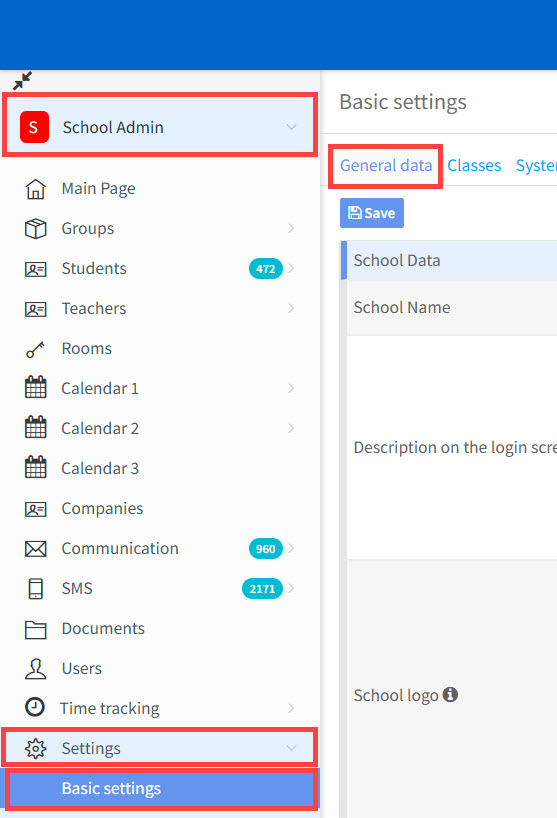
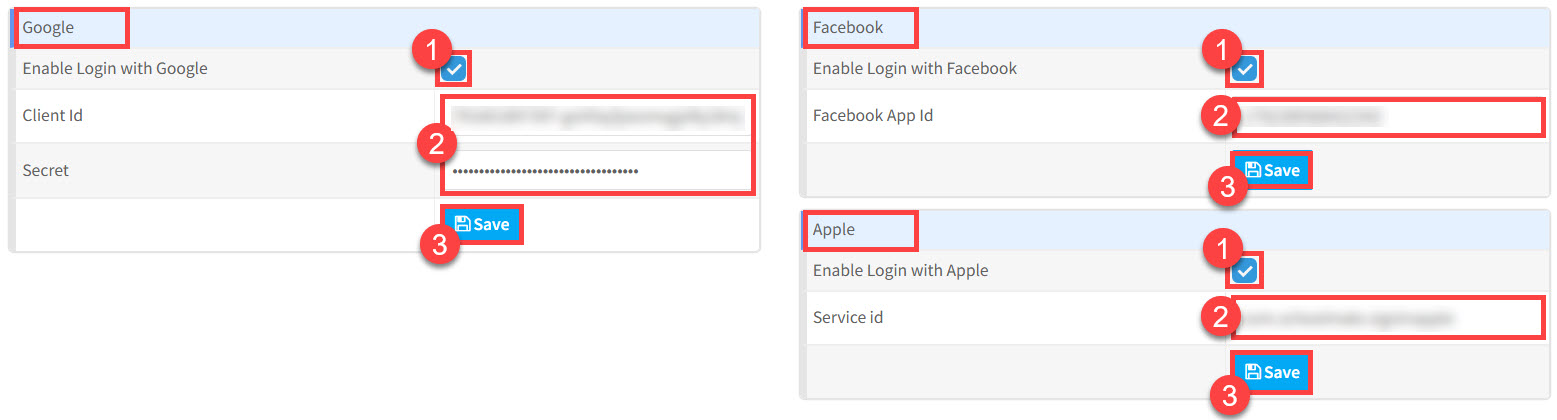
At the bottom of the page you can see where you can enter your data:
- Click this button to enable login.
- Enter your ID details.
- Click “Save”.
Apple Sign-In works differently from other authentication providers and requires you to configure an Apple Service ID in your Apple Developer account.
As most language schools will not have an Apple Developer account, SchoolMate can offer an alternative by allowing schools to use SchoolMate’s Service ID. However, Apple places restrictions on the number of schools that can use a shared Service ID.
As a result, this option will be available on a first-come, first-served basis and is subject to availability.