
Creating Online Lessons in SchoolMate:
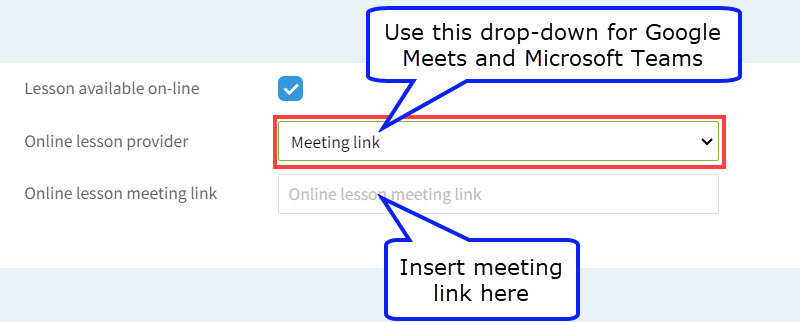
SchoolMate is able to link with four online platforms where your online lessons can take place: Google Meets, Microsoft Teams, Zoom and LearnCube a company which offers an online lesson platform. With the first two you add the meeting link to the lessons. With Zoom and LearnCube there is a little more to do.
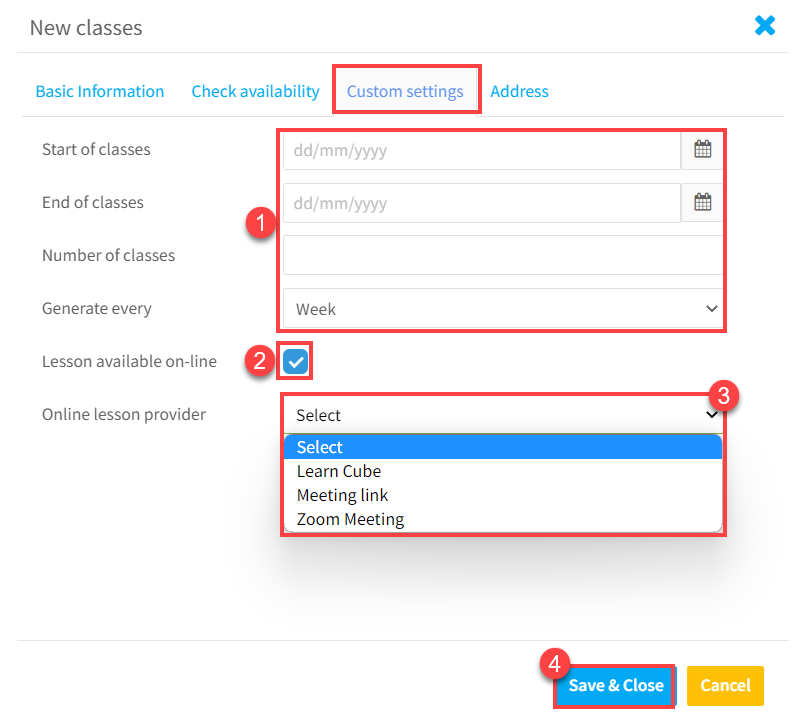
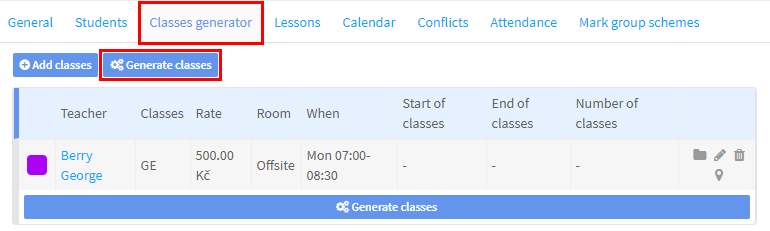
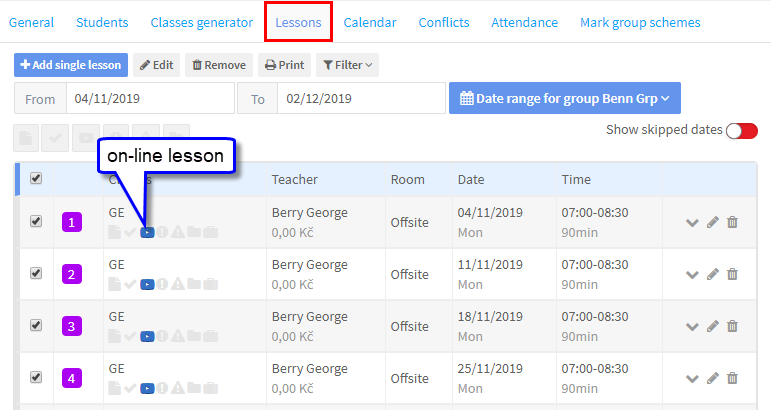
Regardless of the meeting platform you are using, the first thing you need to do is create the lessons; there are tutorials on how to create lessons here. The main thing is that after adding the day, time and teacher on the «Basic Information» card you go to the «Custom settings» and click «Lesson available on-line». After you have entered all the information and clicked «Save & Close» you will be taken back to the «Classes generator» card. and when you click «Generate classes» the lessons will be created as being online:
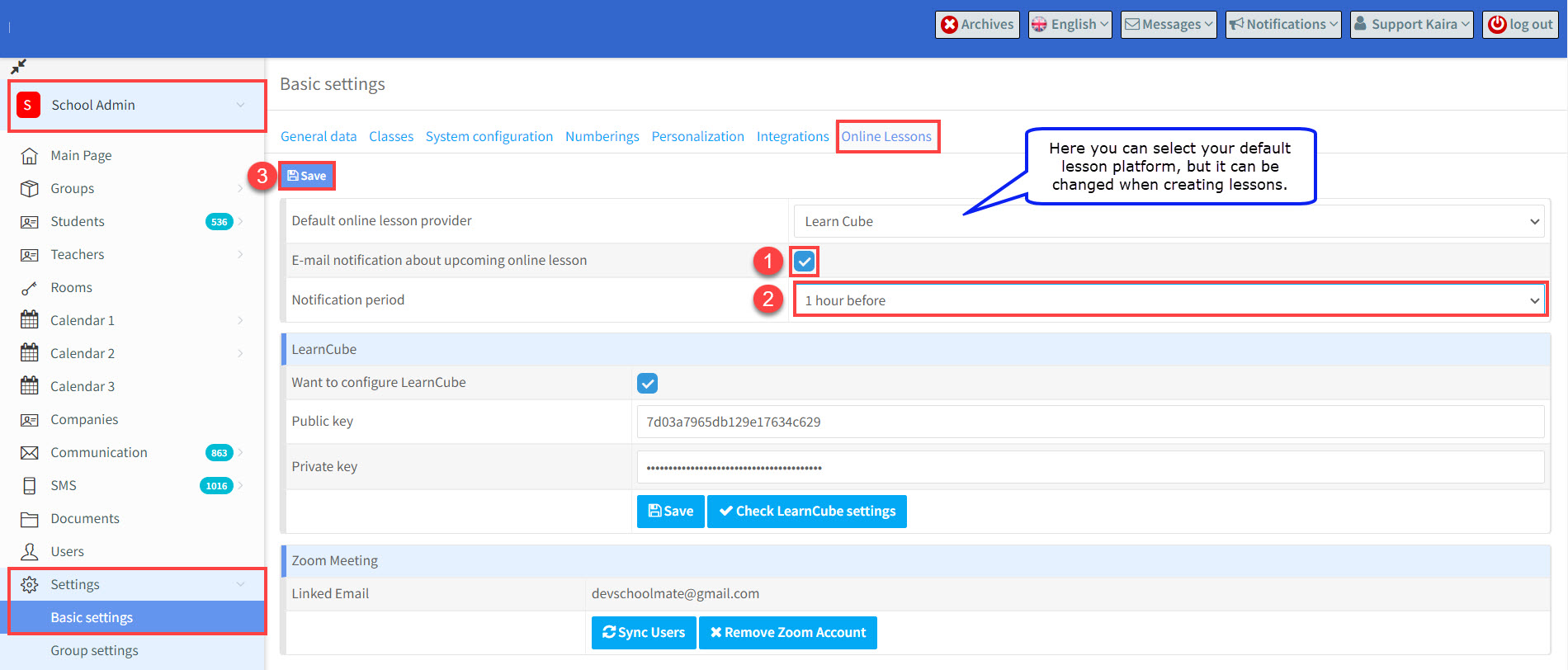
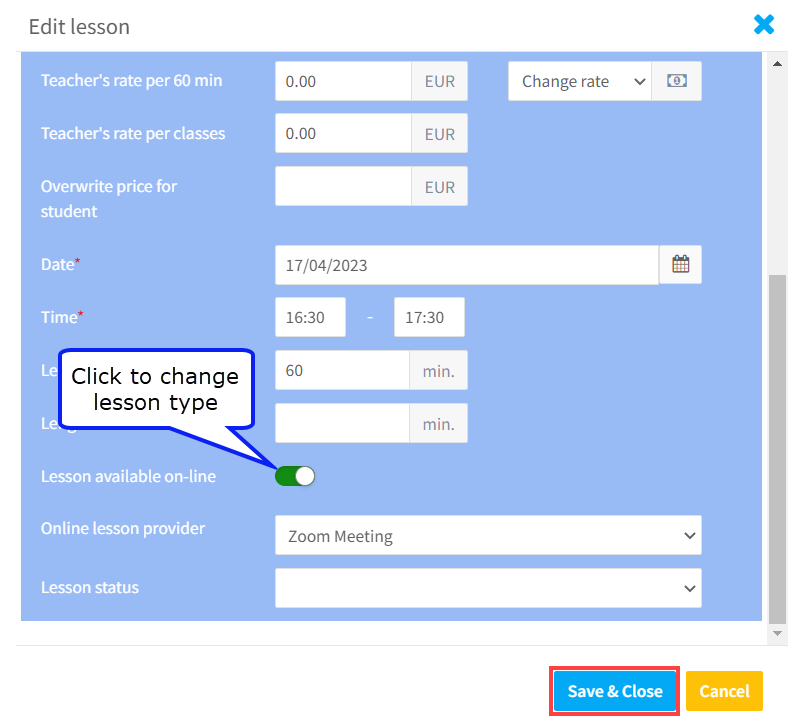
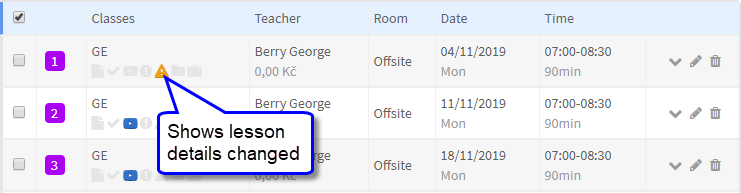
You can send reminders about upcoming lessons to students and teachers from 1 hour to 1 week before. Go to: School Admin – Settings – Basic Settings – Online Lessons. You can edit individual or blocks of lessons as shown here, but all you need to do is click the edit button: and then change the lesson type and select the platform and follow the instructions above depending on which platform you are using: and the lesson will not be an online one:
Sending reminders about online lessons.
What if not every lesson is online, just one or two?

Related Tutorials: